Important: Test version of tweak compatible with patch 1.0.6.0 is available. Tell me how it works. Get it HERE
Presentation in HD
What is this?
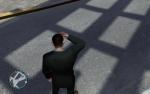
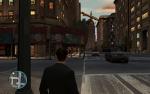
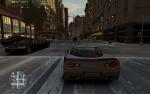
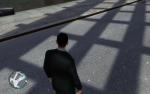
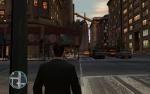
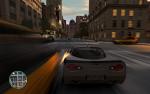
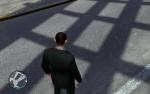
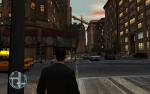
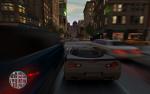
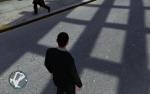
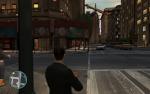
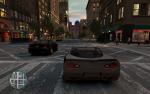
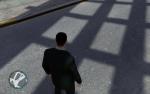
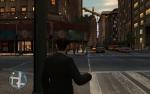
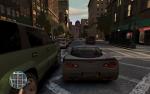
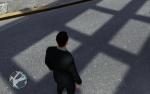
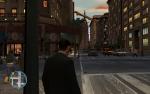
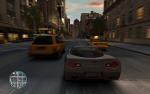
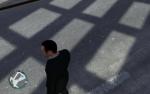
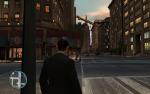
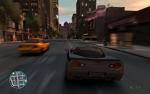
Ultimate Graphics Tweak is a little modification which allow you to enable improved post processing effects like Motion Blur and Depth Of Field.
It also smoothens dotted shadows and jaggy edges while keeping whole game sharp and clean. As a result game feels like a movie, and is
visibly smoother even at low frame rates (15-25FPS).
NOTE: To improve your gaming experience even more I recommend GTA4 Enviroment mod by kriller2 as a great addition to this tweak.
You have a choice
To satisfy all of you I divided Ultimate Graphics Tweak into all possible combinations of particular effects so you can enjoy only those
you really like. Just look at the table below and decide which tweak suits you best. If you want to check more than one option just install one
of those tweaks and then overwrite files from another one, it's safe.
1. Unpack chosen archive wherever you want
2. Run MagicIV (included in archive)
3. Click on "validate Files"
4. After validation click "Apply patch" button
5. Go to ..\Grand Theft Auto IV\Common\Data\ and rename visualsettings.dat as visualsettings.OLD.dat
6. Copy visualsettings.dat from unpacked archive to ..\Grand Theft Auto IV\Common\Data\
7. There is a rage_postfx.fxc file in following folders:
..\Grand Theft Auto IV\Common\Shaders\win32_30_atidx10
..\Grand Theft Auto IV\Common\Shaders\win32_30_low_ati
..\Grand Theft Auto IV\Common\Shaders\win32_30_nv6
..\Grand Theft Auto IV\Common\Shaders\win32_30_nv7
..\Grand Theft Auto IV\Common\Shaders\win32_30_nv8
..\Grand Theft Auto IV\Common\Shaders\win32_30
Rename this file in every folder to rage_postfx.OLD.fxc then copy file rage_postfx.fxc from unpacked archive to each of these folders
8. Click "Verify" button and after successful verification close MagicIV
9. Play the game (set "definition" to off in graphics options or just press "p" while in game)
NOTE: Keep MagicIV app somewhere on your disk because it's neccesary if you want to come back to original game settings
Uninstallation:
If you want to go back to original settings run MagicIV and click on "Recover", then just delete each of the new files you copied from
the unpacked archive, and remove the ".OLD." extension from each of the backups you made.
Instruction for patch 1.0.2.0 - 1.0.4.0 SINGLEPLAYER users:
1. Unpack chosen archive wherever you want
2. Go to ..\Grand Theft Auto IV\Common\Data\ and rename visualsettings.dat as visualsettings.OLD.dat
3. Copy visualsettings.dat from unpacked archive to ..\Grand Theft Auto IV\Common\Data\
4. There is a rage_postfx.fxc file in following folders:
..\Grand Theft Auto IV\Common\Shaders\win32_30_atidx10
..\Grand Theft Auto IV\Common\Shaders\win32_30_low_ati
..\Grand Theft Auto IV\Common\Shaders\win32_30_nv6
..\Grand Theft Auto IV\Common\Shaders\win32_30_nv7
..\Grand Theft Auto IV\Common\Shaders\win32_30_nv8
..\Grand Theft Auto IV\Common\Shaders\win32_30
Rename this file in every folder to rage_postfx.OLD.fxc then copy file rage_postfx.fxc from unpacked archive to each of these folders
5. Play the game (set "definition" to off in graphics options or just press "p" while in game)
Uninstallation:
If you want to go back to original settings just delete each of the new files you copied from the unpacked archive, and remove
the ".OLD." extension from each of the backups you made.
Belinda - For ultra-cool tips
Klanly - For a solution on how to separate static blur from DOF and MB.
Thales - For great, great screenshots.
Aru - For MagicIV and other cool tools.
Alexander Blade - For ASI loader and great asi scripts.
CharmingCharlie - For keeping it sticky.
Suction Testicle Man - For lifting limits of pics in one post





 (34 votes)