logo
signbit
bit
Amazing Screenshot
Make R* quality screenshots!
Information Files
Author: SilentPL


Website:
Works with: GTA San Andreas 
Release/Version: 1.1
Status: Complete
Started on: 29 Jan 2013
Last Updated: 29 Apr 2013
Views: 12634
Type: Created from scratch
Rating: 4.73684 (19 votes)
Please log in to rate this mod
Description
Amazing Screenshot 1.1
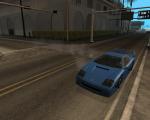
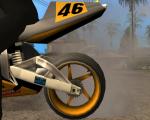
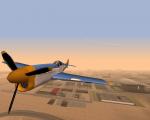
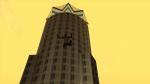
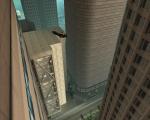
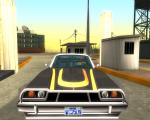
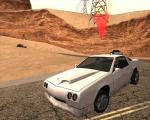
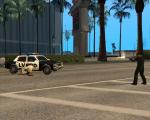
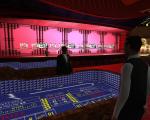
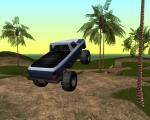
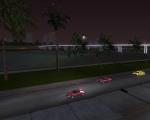
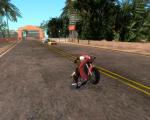
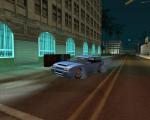
Ever wanted to capture as cool screenshots as R* does? Seen a hillarious situation, but it lasted only for a second so you couldn't even move closer to save it? Or perhaps you just hate CamHack? This CLEO script gives you an opportunity to make some real Amazing screnshots. Just freeze the game, adjust the camera just like you want and capture it! This script basically gives you unlimited time to mess with the camera, so if you wish, you can go really fancy. As San Andreas has a working Camera, this script also allows you either to capture screenshots by yourself (eg. by using Fraps) or to let San Andreas do it by itself (making a bad quality screenshot, unluckily). Have fun making some Amazing screenshots and beware - it's highly addictive! This mod is also used as a part of Grand Theft Auto: The '95 Story and Grand Theft Auto: Vice City Stories PC Edition Total Conversions. This mod is compatible with the CLEO 3/4 Libraries found here: http://cleo.sannybuilder.com/ Put CLEO folder (with all its content) in your game directory. If you want San Andreas to capture screenshots in the best possible quality, you can check out HiDef Camera mod by Deji: http://gtag.gtagaming.com/mods/101-hidef-camera/ Usage Press Alt + Change Camera (V by default) to activate/deactivate Amazing Screenshot mode. Then use these keys to navigate:
  • Change Camera (V by default) - switch between normal and free camera
  • Movement Controls - move the camera
  • Mouse - rotate the camera
  • Page Up/Page Down - move camera up/down
  • Shift - speed up the movement speed
  • Ctrl - slow down the movement speed
  • LMB - lock mouse X Axis
  • RMB - lock mouse Y Axis
  • Tab - toggle widescreen on/off
  • [ - decrease Field of View
  • ] - increase Field of View
  • P - reset Field of View
  • F12 - capture a screenshot
  • ~ - show In Game help
Showcase video
http://youtu.be/MBxz45SDHBI Known bugs None. Credits & License Thanks to Deji for allowing me to publish the code with parts of our secret CD project inside. As the following modification is open source, it's under the Silent's License. It means that the source code is for learning purposes, as all source code is. You may only use it for your own projects but NOT to recreate or build on the original work.

Comments News
Rizqan7 commented 2 weeks ago:
ALLSOME!! 5/5 :lol:
Sidoarjo_Modder commented 2 weeks ago:
finally, thanks for adjustable FOV. you are coding king, here's some cookies :cookie: :cookie:
GTA-Monster commented 2 months ago:
awesome mod silentPL :inlove: :inlove: can you make another mod like this but game play in slow motion for vidio making?
Anonymous167 commented 3 months ago:
WOW Nice Mod :D
Leonharts_E commented 3 months ago:
thanks, i was looking out for this one for a year :D
indo_14 commented 3 months ago:
i can make tons of cool screenshot cause this, but can you make VC and II Version
SilentPL commented 3 months ago:
VC version? Maybe, but I cannot make any promises.
_CheatBoy commented 3 months ago:
PLEASE can you make this for Vice City :D
Sidoarjo_Modder commented 3 months ago:
AWESOME mod!! this is what i want since first time playing SA. :inlove: maybe for next version, can you add adjustable FOV?
Gamelord commented 3 months ago:
Great mod man. Hope you fix any of the bugs. :D :cool:
View All Comments | Add Comment

Discuss this mod at GTAForums
Version 1.1 released!
Amazing Screenshot 1.1 has been released! It features numerous bugfixes and code optimizations and also adds the ability to customize Field of View. Enjoy!

View All Updates
0 users viewing this mod (0 guests)
bit
brick bit ?E?E bit bit
bit bit   bit bit