(Scroll down for list of new features.)
Installation: unpack everything to your VC folder.

This mod heavily patches the game code on the fly, so it might interfere with other executable or .asi/.flt mods. Therefore if it crashes for you, you should try removing some other .asi/.flt mods or Cleo scripts you have installed to see if that helps. This mod only works with 1.0 version of the game executable.

This is a modification that makes it possible to easily add new cars to the game without replacing old ones. It consists of one .flt (vehmod.flt) file that should be put into the "mss" directory. The game automatically loads it from there. To start using it, you have to first create a directory named "vehicles" into your Vice City directory. There you will be placing your new cars as 7zip archives. The 7zip archive of a vehicle must contain:

1. An XML file (.xml), which describes handling data and other miscellaneous data related to the vehicle. The modification comes with the XML files for all default vehicles in the game, so you can see what exactly they have to contain from there. The name of this file does not matter.

2. A collision file (.col), which is the collision file to be used with the vehicle. Note that it does not matter what the file name nor the name used inside the .col file is, it will be loaded for this vehicle anyway.

3. A model file (.dff), which will be the model that is loaded for this vehicle. As usual, the file name does not matter.

4. A texture file (.txd), which will be used with this vehicle. File name does not matter.

This modification also allows you to change some data that is usually hardcoded. You can change the audio data for a vehicle (look at some sample .xml file for specifics), extra helicopter data (type, weapons, rotor radius, rotor collision damage multiplier), enable siren (extra flag 1), enable voodoo hydraulics (extra flag 2) and enable baron flying style (extra flag 4). The available helicopter types are normal, hunter, remote and water. Type "remote" acts like RC Goblin and RC Raider, and "water" floats like sea sparrow on the water. Available weapon types are "hunter" and "sparrow".

Some car models that are available for download for Vice City have their own wheels. To hide the default wheels, previously an invisible wheel model was used. However, with this mod it is not necessary, because the mod automatically detects if a vehicle has custom wheels inside the model and then hides the default ones.

To spawn these cars, you can press ALT+2 to switch between them (shows the name of the current selection as help message) and then ALT+3 to spawn the current selection. In the game these cars have IDs starting from 6000. The exact IDs are printed out to a file named "vehmod_log.txt" in your Vice City directory. Also if there are any errors while loading a vehicle, errors will be logged to that file (mostly XML formatting errors).

This modification also loads new vehicles when the game is already running. That is, when you copy a new archive into the "vehicles" directory, the modification will load that into the game instantly. Note that the cars that are added can also appear on the streets if their "class" value is not set to "ignore".

The mod includes a few small patches to the game engine. First of all it increases the amount of different vehicle models that can be loaded into the game from 50 to 127. Note that the vehicles that are added with this modification do not count towards that limit, so it is provided simply as a bonus. The second patch is that you can enter RC vehicles without crashing, in case you would want to import new RC vehicles and test them. Also this works for existing RC models


CHANGELOG OF 0.98e
[list]Vehicle (Num*) and weapon (Num5) selecting screens, Num-+ to scroll, Num/ to spawn, <testmenus> in globalm.xml must be enabled.
Added streaming memory limit setting to globalm.xml (check help/sample_globalm.xml for usage).
Added "createVehicle" and "createExplosion" functions to Python scripts (check help/samplescripts/vehiclegrid.py).
Added "eventBulletFired" event to Python scripts (check help/samplescripts/explosivem4.py).
Fixed a crash on decapitation after starting a new game for the second time.
Extra save XML file is only loaded if it is not older than the main save file.
MVL weapons carried by player are not saved to main save file, but to extra save XML.
Added shotgun specific settings to weapon XML (check shotgun xmls in help/samplewepxmls).
Fixed a VC bug that caused crashes on "heavy" collisions (many spheres of a collision model colliding at once).
Fixed a VC bug that caused a crash when too many sound effects were played at the same time.
Fixed a crash when there were too many files in IMG that didn't have an IDE entry.
Some errors about IPL/IDE/IMG issues logged to messagelog.txt if <debugidedata> "true" in globalm.xml.
Increased maximum number of explosions.
Fixed some automatic interior switching bugs (wrong interior on first cutscene, interior color switching issues).
Opcode 0801 for checking if MVL has Python loaded, opcode 0802 for getting MVL version number (currently 9850).
[/list]
CHANGELOG OF 0.98d
- Automatic interior switching option (doesn't fade in or teleport), which is also teleport-safe (global.xml setting "autointeriors").
- Fixed an issue with compatibility with some other modifications (CLEO and others).
- Fixed weapons being darkened when using real-time shadow for player.
NEW IN 0.98c
Custom weapon sounds can be used by including .wav files in the archive. You can include custom sound for shot, reload and echo (filenames should then be gunshot.wav, reload.wav, shotecho.wav). You can also set custom frequency, loop start and end positions by modifying the file name, for example: reload-f22050s100e1000.wav will sound like you set the frequency to 22050, loop start to 0 and loop end to 1000 (these values work the same way as in sfx.SDT). Vehicle engine sound can currently only be changed when you set the vehicle to use RC audio (RCAUDIO extra flag), in which case the filenames would be rcengine1.wav and rcengine2.wav (check sounds included with MW_29's Hydra).
New SCM opcodes can be added with Python scripts. Check the extraopcodes.py sample script to see some added opcodes for manipulating tuning parts. You must specify the list of arguments that your opcode takes when registering it: 'i' is integer, 'f' is float, 'V' is vehicle handle, 'P' is actor handle, 'O' is object handle. You can easily return multiple values by separating them with a comma. If you return only one value that is a ped/vehicle/object handle, then you must add a comma to the end (for example: "return ped, ")! If you return a boolean (True/False), then that opcode works as any other is_xxxxx opcode.
There are also 2 built-in opcodes:
0800 - used to make next text draw call with label MVLNAME draw the name of the specified vehicle. If you want to tell it to draw the name of a vehicle by model index, then the first argument must be 1 and second argument must be the model index. If you want to pass a vehicle handle instead, the first argument must be 2 and the second the handle of the vehicle.
0810 - used to create weapon pickups by weapon ID instead of model ID. This can be used to spawn MVL weapon pickups. Arguments are: weaponId x y z ammo
When saving the game now, all MVL vehicles will instead be saved into the main save file as default vehicles (all cars are golf carts, all bikes are faggios, all boats are dinghys). The actual information about which MVL vehicle they are supposed to be is saved to a separate .xml file in the same folder as the save files. If all the vehicles still exist in your vehicles folder and MVL is present, then saving and loading will work fine - when you saved an MVL vehicle, on loading the MVL vehicle will also appear (tuning parts are also saved). However, if MVL is removed, all saved MVL vehicles will be loaded as some default vehicles (golf carts, faggios or dinghys). The same applies for vehicles which do not exist in your vehicles folder anymore. Saved MVL vehicles are not tied to the model ID, instead they are tied to archive checksum and archive name. If you change only one of them (archive contents or archive name), the game will still find the correct vehicle associated with a save. However, if you change both the contents and the name, then the vehicle will no longer be recognized.
CHANGELOG OF 0.98c
- Works with Steam version.
- Support for custom weapon sounds.
- Support for custom engine sound for vehicles with RC-vehicle audio.
- Bullet holes (enabled when a bullethole.png is in mvl folder).
- Custom SCM opcode handlers via Python scripts.
- MVL vehicles are saved to a separate file when saving, makes saves with MVL vehicles compatible with non-MVL VC and allows more flexibility with vehicle IDs.
- Trashbin toy (set "trashbin" to "true" in globalm.xml and use Alt+0 in-game).
- Fixed an issue with resolutions in windowed mode which caused the game not to launch for some people at some resolutions.
- Fixed an issue with SCM threads which caused problems when missions ended.
- Fixed a crash when saving, which occured when using quicksave when model limit was set to over 32k.
- Support for full-screen sniper scope images, the image file's name must be stretch_scope.png .
- Slight loading screen speed-up.
CHANGELOG OF 0.98b
- Model ID limit, TXD file and COL file limit can be changed via globalm.xml (see help/sample_globalm.xml).
- Various object instance limits can be changed via globalm.xml (ptrnode, entryinfonode, peds, vehicles, buildings, treadables, objects, dummys, audioscriptobj, colmodel).
- Model store limits can be changed (simple models (for map objects, dynamic objects), time models, weapon models, clump models (cutscene objects aka "hier"), vehicle, ped, 2dfx).
- Vehicle weapon positioning is fixed (was broken in 0.98a).
- Filenames in weapon and vehicle archives are no longer checked in a case-sensitive way.
- Fixed a CLEO bug that caused loading a save to freeze after saving a game.
- When a garage is opened and the vehicle that was stored in it is no longer a valid vehicle (for example an MVL vehicle which is no longer installed), it's removed.
- Player's weapons are now also visible on the real-time shadow.
- Selected start ID for MVL vehicles is analyzed and automatically changed if necessary.
- Fixed MVL weapon reload clip size.
NEW IN 0.98a
This version has windowed mode settings. In mvl/globalm.xml you can set "windowed" value to true. That will cause the game to start in windowed mode. If your game resolution matches your screen resolution, the game window has no borders nor menus. To switch between full size and smaller size window you can use Alt+Enter. When the game menu is visible, moving the cursor outside of the game area makes the mouse visible. To make the mouse cursor usable while not in the menu, you can press Alt+Control. That makes the cursor visible and the game no longer reacts to mouse movement/clicks. To give mouse control back to the game, you can either press Alt+Control again, click on the game area or switch to menu and back. "usemenus" in globalm.xml makes the "Spawn vehicle", "Weapons" and "Windows" menus appear below the title bar. "Weapons" menu can be used to give the player custom weapons. "Windows" menu currently has only "Extra view", which is an experimental feature to show multiple camera views. Currently it is hardcoded to show a top-down view.
Custom weapons are now supported. They can be added by putting a 7z archive to mvl/weapons folder. They must include an .xml file and an icon.png file (weapon icon). If your weapon has a custom model, set the model ID in the .xml file to -1 and include the .dff and .txd files in the archive. Custom animations can also be used. For that you should include an .ifp file in the archive. The name of the .ifp file does not matter and the animation names in the archive should be the same as in the animation file specified by the animation group in the XML (so you should not change the animation group in XML when adding custom animations). The way custom weapons behave is specified by the "logicalid" field in the weapon XML file. That value should be set to the weapon index from which the new weapon copies its behaviour from. Therefore it should either be one of the built-in weapon IDs (0-36) or a custom weapon logic ID. Currently there are 2 custom weapon logic IDs - 80 for spikes and 81 for hats. Weapon spawning can be specified in the weapon's XML file and also in mvl/weapons/pickups.xml file. For the exact syntax, see the included pickups.xml file.
If "roadthingy" field in globalm.xml is set to true, ALT+5 spawns the weird dynamic road thing, which you can also control manually by pressing NUM4/NUM5 to make it turn up/down, and NUM7/NUM8 to make it turn left/right. If you don't control its movement manually, it turns automatically in random directions.
CHANGELOG OF 0.98a
- Fixed various problems when scripts folder was present, but Python 3.3 wasn't.
- Fixed emlightsingle not working properly.
- File mvl/globalm.xml is used for some settings not related to vehicles.
- Windowed mode can be enabled ("windowed" setting in globalm.xml).
- Enabling "usemenus" in globalm.xml enables various under the window's title bar.
- Added "Spawn vehicle" menu for spawning MVL vehicles.
- Enabling "fixframewait" in globalm.xml should decrease CPU usage on better machines when frame limiter is on.
- Experimental additional camera windows, currently accessible via "Windows -> Extra view", which shows a hardcoded top-down view.
- Globalm.xml has setting "rtshadowonplanes" for enabling real-time shadow for planes, "rtshadowonplayer" for enabling it for player.
- Fixed a problem with loading while the game is running.
- "antialias" setting in global.xml, which can either be "on", "off", or "max".
- "menuonrestore" setting (default is true) defines whether the game switches to menu when the window is restored.
- "autoloadsave" setting in globalm.xml can be used to make a save load automatically when the game is launched (0 means the first save).
- Crash log is created to mvl/errorlog.txt when the game crashes.
- Added a strange dynamic road feature - enabled via "roadthingy" setting in globalm.xml, spawned with Alt+5.
- SA animation files can be used with scripts/vehicles/weapons.
- MVL can now load custom weapons - mvl/weapons folder, 7z archives containing xml, dff, txd, icon.png and/or ifp.
- Custom scope image can be used for custom snipers/lasers/camera, by including scope.png (one quad) or scope
- Added a custom weapon type - spiketrap (logical ID 80).
- Added a custom weapon type - hat (logical ID 81).
- Added "Weapons" menu for giving MVL weapons to the player.
- Weapon spawn points can be defined in mvl/weapons/pickups.xml and in weapon XML files.
- Added opcode 0810 for spawning weapons, parameters: weapon_id x y z ammo.
- Added opcode 0800 for forcing the next text draw opcode to use vehicle's name (params: 1 model_index OR 2 vehicle).
- Enabling "decapitations" in globalm.xml causes headshots to actually cause detached head appear.
- Fixed custom Sea Sparrow being unable to stay afloat on water.
NEW IN 0.98
In this version, folder structure has been changed. Everything that was in "vehicles" folder should now be in "mvl/vehicles" folder and global.xml inside it should be renamed to globalv.xml.
This version implements Python scripting. To use it, Python 3.3 must be installed. Scripts go to the "mvl/scripts" folder. The are very few scripting functions at the moment. Currently the only thoroughly covered scripting feature is animations.
You can find a short description of functions and callbacks in the "script_functions.txt" file and some sample scripts in the "samplescripts" folder. When working with files, remember that the active directory is VC folder, not scripts folder.
CHANGELOG OF 0.98
- Implemented Python (3.3) scripting, scripts go to "mvl/scripts". Includes some basic functions and also a set of functions for animations.
- Adding 10 or more vehicles for one AI type does not cause Landstalker to be used for those AI types anymore.
- Fixed taxi lights on non-MVL taxis.
- Vehicle wheel offset from dummy will be set to zero if the vehicle only has one predefined wheel.
- Vehicles that failed to load do not show up on ALT+2 vehicle list anymore.
- Third and fourth car colours are now supported by using "carcol4" and "rgbcol4" elements.
- Fixed some issues that caused slowdowns or crashes on modified executables.
- Maximum altitude for helicopters and planes can be set via "maxaltitude" property in globalv.xml file.
- There is a NOMAXALTITUDE extra flag, which can be used to make a vehicle ignore the maximum altitude completely.
- By setting "dumprgbcolors" to "true" in globalv.xml file, car colours are dumped in RGB format.
- Fixed a small bug with SA vehicle collisions.
- Vehicles folder is now in "mvl" folder and global.xml is now globalv.xml.
- Vehicles with empty name string can now be loaded, but their name is changed to "Unknown".
- "addspeedmul" in the "missileinfo" section specifies how much of the vehicle's speed is added to rocket's speed.
- Setting "gang" field in "aidata" section to a gang index makes that gang use that vehicle.
CHANGELOG OF 0.97c
- Now it's possible to set vehicle machine gun accuracy, range, time between shots and audio sample index (see file "samplexmls/commented/comet_with_weapons.xml").
- Bullet trace limit raised to make shooting vehicle machine guns look consistent.
- It is now possible to change extra flags for non-MVL vehicles (see file "samplexmls/commented/sample_global.xml").
- Emergency light positions can be changed for non-MVL vehicles per AI type basis (see file "samplexmls/commented/sample_global.xml").
CHANGELOG OF 0.97b
- Added extra flags that are used by some trucks: REVBEEP for beeping while reversing and GEARTHUD for the sound they make when switching between forward and reverse.
- Generated XML files now also contain the correct "specials" section.
- "vicechee" and "cheetah" are now created as two different XML files.
- Fixed issues with vehicle machine guns.
CHANGELOG OF 0.97a
- Fixed secondary car colour not being used on vehicles.
- Fixed a crash that occured when using vehicles with tuning parts or weapons in a replay.
NEW IN 0.97
In this version you can use custom animations for your vehicles. The animations should be included in the archive as in .ifp file and should contain the replacement animations, each of which should have exactly the same name that the original animation. The file does not have to contain all the animations used by that vehicle's animation group, only the ones you want to replace.
Another new feature is setting default immunity flags for vehicles in the XML. The immunity value is an integer in the range 0-255 and you can use the flags.html to find the value for the specific combination of immunities you wish your vehicle to have. The value should be in "immunity" element inside "basic" section.
Car colours can now be specified as RGB valuues. To do that, use "rgbcol" instead of "carcol" in the "colors" section. "rgbcol" should contain 6 comma-separated values - r, g, b, r, g, b. First three values make up the primary colour and the last three values make up the secondary colour. You can mix "rgbcol" and "carcol" elements, but there can still be only a total of 8 of them combined.
CHANGELOG OF 0.97
- Custom animations for vehicles can now be included as an .ifp file in the archive.
- Default immunity flags can be set with the "immunity" property in the "basic" section. Check flags.html for exact values to use.
- Setting "disableflipdamage" to "true" in the global.xml file will stop cars from taking damage because of being flipped in the game.
- In the "colors" section you can now specify car colours also in RGB format.
CHANGELOG OF 0.96e
- Boats now have a "boatengine" section inside the "audio" section, so boat engine audio can now be customized.
- RC vehicle audio now works, RC helicopters have it automatically, to get RC bandit/baron audio, the extra flag RCAUDIO has to be set.
- Offset between wheel dummy and the wheel is not forced to zero anymore.
- Added some .xml files with comments.
CHANGELOG OF 0.96d
- In addition to COL3 collision, COLL and COL2 collision types are now also supported inside SA .dff collision section.
- Giving more than 8 car colours does not give an error anymore, instead it now gives a warning, so the vehicle is still loaded.
- Vehicle weapons cannot be used if the player is dead in the vehicle.
- If game was started with the launcher, key combination ALT+4 can be used to generate .xml files of current game data (folder "vlist" must be created in VC folder before you do that).
- "Microsoft Visual C++ 2010 Redistributable Package" is no longer required to run this mod.
CHANGELOG OF 0.96c
- A specific model index can be specified for the vehicles by adding a "xMODELINDEX_" prefix to the 7z file name, such as "x6189_".
- Starting a new game or loading a save shouldn't cause any problems anymore.
- Setting "disablelightboxes" to "true" in global XML file will cause them to disappear from all cars.
- Setting "hasboxes" to "false" in vehicle's lights section will cause the light boxes to disappear from that car.
CHANGELOG OF 0.96b
- Changed some things that should make this mod compatible with some other mods, most likely with graphic/map mods.
CHANGELOG OF 0.96a
- Fixed a rare bug when cars started turning right until ESC menu was activated.
- Machine guns mounted to vehicles now have a sound.
- Now all four custom weapon model slots work, previously only one worked.
- Shooting petrol caps of vehicles that have them should now make those vehicles explode.
- Fixed a bug with alpha when the game didn't detect some alpha materials correctly on SA cars (some broken windows).
- The beginning of the ID range for new vehicles can be defined in the global XML file with the "idstart" element.
- Taxi lights on default taxi cars are not always enabled anymore.
- Setting "usespawner" and "usetuner" values in global XML file to false will turn off spawner and tuner hotkeys respectively.
NEW IN 0.96
Now it is possible to attach weapons to your vehicles. Up to 4 weapons can be attached to one vehicle. Weapons can be added to all vehicle types. Weapon type can either be set to "machinegun" or "missile", first one shoots bullets, the second one shoots missiles. The weapon model can be set to "m4", "rocketlauncher", "none" or if there are files weapons.dff and weapons.txd, which contain weapon models with the names "custom1", "custom2", "custom3", "custom4", these names can be used for weapon model also to make it use those custom models for the weapon. Custom weapon models can also use vehicle colours.
Section "fireoffset" defines the offset from the weapon model where the shot is made from. When the weapon type is "missile" a section "missileinfo" can be specified in the weapon data. In there can be two elements: "gravity" (values "on"/"off") shows whether the missiles are affected by gravity and "timeout" is the minimum time between shooting two missiles.
When a "dockedinfo" section is specified in the weapon data, then the weapon will by default be in the position specified in that block. If there is no "dockedinfo" section, then the weapon will be in the default position specified in the "armedinfo" section. A weapon cannot shoot when docked. When the weapon is undocked, then the weapon will go to the position specified by "middlepos" between the minimum and maximum positions, which are defined in the "armedinfo" section. So, if "middlepos" is 0, the default position when armed is at the minimum position; if 1, then at maximum position; if 0.5, then exactly between them. Minimum and maximum rotations are used along with the positions. "dockspeed" element specifies, in milliseconds, how quickly the weapon moves from the docked position to armed position. "movespeed" element in "armedinfo" sector shows how many milliseconds it takes to move the weapon from minimum to maximum position. If moving the weapon is not required, min and max positions and rotations can either be the same or max position/rotation can simply be skipped.
A "hotkeys" section defines which keys have to pressed for a certain action for this weapon. The contents of the hotkey elements are three comman-separated numbers, which are the virtual keycodes of the keys that have to pressed in order to activate a certain action. To find which code goes for which key, you can just google for "virtual keycodes". If the key combination consists of less than 3 keys, some of the keycodes have to be duplicated, because there has to be three numbers in that element. "dockkey" specifies the key combination for docking/undocking the weapon. "moveupkey" and "movedownkey" are the key combinations for moving the position of the weapon (when armed) closer to the maximum and minimum positions respectively. "restorekey" is the key combination for moving the weapon to the default position ("middlepos" ratio between min and max). "shootkey" obviously is the combination for shooting from a weapon.
A link to a sample vehicle using weapons can be found from GTAForums from the topic associated with this mod or from GTAGarage mod description.
CHANGELOG OF 0.96
- Fixed collisions loaded from SA .dff-s (they only had spheres, but no triangles).
- SA vehicles should not have problems with alpha parts anymore.
- Emergency/taxi lights can be set to use vehicle colours by using the words "primary" or "secondary" in the colour element.
- Vehicles that have too many duplicate wheel dummies should not crash anymore.
- Weapons can be attached to vehicles - read above.
CHANGELOG OF 0.95
- Collisions for SA vehicles are loaded from SA .dff-s if no .col is included in the archive.
- Middle wheels are handled properly now.
- Different types of EM lights can be defined now, does not rely on AI flags anymore.
- Heli weapons can be relocated.
- Option "alwayson" to make EM/taxi lights always be enabled.
- Fixed a bug with bike wheels that was caused by some changes in the previous version.
- Optional field "wheelcorrection" in "basic" sector in .xml that is a multiplier of the visual size of wheels.
NEW IN 0.94a
This version can somewhat properly load San Andreas .dff and .txd files. Since SA vehicles have one common texture file, this mod tries to find and load that file too. If there exists a "vehicles/sa_vehicle.txd", the mod loads that one. If that file does not exist, the mod tries to find the file from SA installation directory. If this also fails, those common textures will not display on vehicles.
Wheels for SA vehicles are also fixed now. If there is only one wheel in the .dff file, the mod copies it automatically to all wheel dummies. It also increases the visual size of the wheel, otherwise the wheels of SA vehicles would look too small.
Another new feature is the ability to change the position and colours of emergency vehicle lights. To see how that has to be defined in the XML file, look into the sample .xml files of Police, Ambulance, Firetruck or SWAT car.
CHANGELOG OF 0.94a
- Wheels for SA vehicle models are fixed.
- Increased primary and secondary colour material limit - required for some SA vehicles.
- Common textures for SA vehicles are loaded and used if necessary.
- It is possible to define the colours and positions of emergency vehicle lights.
CHANGELOG OF 0.94
- Game does not exit on resolution change anymore.
- Horn works now.
- Vehicles created using hardcoded hotkeys are not saved anymore and can disappear.
- Partial support for SA .dff files (common textures and wheels are broken).
NEW IN 0.93
Tuning parts can be added to vehicles. The tuning files have to be .dff files named "tuning1.dff", "tuning2.dff", ... , "tuning9.dff". Each .dff can contain many different parts, but not more than one of each. All the parts can be tuned in the game by pressing ALT+7 to select the part to tune and ALT+8 to change that part to another version of that part. Also, all vehicles spawned in the game will use a random version of each part, making it possible to see the tuned parts right in the normal traffic.
The hierarchy of the parts that replace something in the original DFF isn't important (wheels are an exception), however, if a completely new part is added that doesn't exist in the default model, it will be put under the chassis dummy, using the XYZ offset it has from its parent in the tuning DFF. If the parent's name in tuning DFF matches the name of some part in the vehicle's original DFF, it will be added as a child of that part.
Custom wheels can only be used in tuning if the original model already has custom wheels. Custom wheels have to be in the correct dummies in the tuning file, just like they are in vehicle DFF models. The name of the wheel part itself does not matter, they are detected by the parent dummy.
If there is a "tuningfix" entry set to "true" in the global.xml (<tuningfix>true</tuningfix>), then whenever a part is changed, it will also be fixed.
CHANGELOG OF 0.93
- Police bikes should now work properly when generated by script (opcode 4F8h) and in roadblocks.
- Emergency vehicles can now also be bikes, although the AI is heavily crippled then.
- Bike reversing speed is fixed.
- Increased new vehicle limit from 50 to 200.
- Tuning parts can be added as an extra .dff file and they can be switched with hotkeys Alt+7 and Alt+8.
CHANGELOG OF 0.92
- Some issues with tanks were fixed.
- Included an HTML file for easily calculating the flags.
NEW IN 0.91
Now there are new extra flags that make it possible to make the game AI use the vehicle for different purposes, such as a police or an ambulance vehicle. This also means that whenever for example a police car is generated, it randomly chooses one available vehicle for that purpose. Therefore if you have 2 custom police cars, there is 1/3 chance for each of the police cars to appear, since there is the default police vehicle and those two custom ones.
There is also a file named "global.xml" in the vehicles folder. This file is currently meant only for specifying a list of vehicles that should not be used by the AI in the game. In the sample "global.xml" included, there is only a line "<v>200</v>", which would make the Patriot not be driven by random people on the street (but that doesn't happen anyway, so it's just a sample line). You can add as many as those lines as you want, but only for default vehicles (range 130-236). Also if you specify the default police vehicle in that list and you have at least 1 custom police vehicle, the default police vehicle is never used (same for all other special vehicles).
This is the list of all flags:
- 00001h - Siren
- 00002h - Voodoo hydraulics
- 00004h - Baron flying mode
- 00008h - BF Injection's rotating part
- 00010h - Cuban Hermes's exhaust
- 00020h - Phoenix's engine flap
- 00040h - Tank controls
- 00080h - Firetruck controls
- 00100h - Used by AI as a police car
- 00200h - Used by AI as a SWAT truck
- 00400h - Used by AI as a Predator
- 00800h - Used by AI as a Rhino
- 01000h - Used by AI as a Barracks
- 02000h - Used by AI as an FBI car
- 04000h - Used by AI as a Vice Cheetah
- 08000h - Used by AI as a firetruck
- 10000h - Used by AI as an ambulance
- 20000h - Used by AI as a taxi
CHANGELOG OF 0.91
- Vehicles have the right audio sections now, some of them were incorrect before.
- The internal limit for vehicles in one class is now 97, not 25.
- Police, SWAT, Predator, Rhino, Barracks, FBI, Vice, firetruck, ambulance, taxi AI flag.
- Tank and firetruck control flags, also flags for Hermes's exhaust, Phoenix's engine flap, BF Injection's rotation.
- A global XML for specifying cars that the AI shouldn't use.
- The game shouldn't crash on exit anymore.
- Baron flying mode didn't really work before.
- Some issues with Skimmer-type vehicles were fixed.
Suction Testicle Man's vehicles at GTAGarage that should (soon) also have a file for use with this mod:
Jur1zz's Blista Compact with tuning parts:
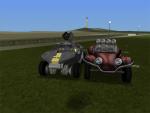
Sample Comet with weapons (custom weapon by kikiboy95): |





 (84 votes)