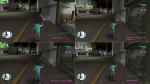
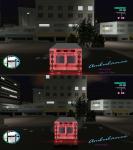
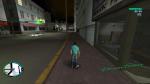
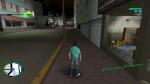
GTA 3 and Vice City proper widescreen fix
Versions 2012: I've made some minor changes a while back, and fixed this weird crash in vice city. Please, let me know, if you have any issues with new versions.
Install:
Copy 20widescreenfix.cs in your cleo folder.
Default FOV equals 20, if you want to change it, rename cleo script. For example to 37widescreenfix.cs
Aspect Ratio calculated automatically.
Versions 1.0 and 1.1 are supported.

Cannot get this working, game crashes on load - from either loading a save game or created a new game - menu will work but other than that it kills itself.
Using steam version -> Downgraded to a v1.1 exe
I can get other FOV hacks working (yes I know not to run them with this mod, but still nothing for the HUD on a 16:9 monitor.
This mod fixes the stretched radar and FOV but not the hud for 16:9 resolutions. So I made a little fix for it.
I will not share it, because I didn't made this mod. I only fixed it.
Screen: http://www.abload.de/img/vcwidehudfixmjsyw.png