You seen many of these mods before, but this one I made, I find most stable, and the best one.
Get the latest CLEO4 Library from here and install it. (if you don't have the CLEO Library already)
Now download the latest version of my Passenger mod and choose the CLEO library you have (either CLEO4, or CLEO3, typically CLEO4) and stick all of the .CS files (and if CLEO3, move the cleo_text also) into the CLEO folder. (C:\Program Files\Rockstar Games\GTA San Andreas\CLEO)
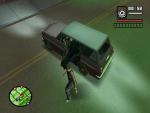
If you are on foot, can press G (or group control forward) to enter a car as a passenger.
If you are already in a car and want the autodriver and driveby to work, press Y (conversation yes) to enable it.
You can driveby by pressing horn + yes (H + Y) while in car and horn + no (H + N) to stop drivebying. (to drive by a weapon of your choice, before you enter the car, choose your weapon first)
You can change the car's speed after typing in a command ("DF") with your accelerate button, brake button and hand break button.
You can make the car drive around the paths crazy by typing "DAF" or normally "DAX".
You can create a target on the map and type "DF" or "DX" for the car to drive to the target.
You can teleport to the target at a random price by typing "TS". (will not work in SA:MP for anti cheating purposes)
You can follow another nearby car by typing "FOLO".
All of these will work in SA:MP bug free! (will not show messages however)
CLEO3 stuff
Instead of typing the commands (ex. "DAF"), hold them (so hold "DAF" instead).
The variable displayer is broken. (displaying your speed is broken)
Instead of "DF" or "DX" its "DC" or "DV".
The "followcar" will not work for CLEO3.
Fix CLEO3 issues.
May add auto boat driver, auto plane driver, and auto heli driver.
Q: The car will not go on the path correctly.
A: Retype in a command again ("DF").
Q: I did that and it still won't work.
A: Blame Rockstar, the AutoDriver will go along the Rockstar's node*.dat files (this includes custom maps). Find an updated or custom node*.dat file.
Q: When I type in a command ("DAF") nothing happens!
A: If this does happen, press Y (conversation yes) then retype the command.
Q: Still won't work!
A: Make sure you are pressing your conversation yes button and type in "DF" then your command of choice. This SHOULD take control of the car, if it doesn't, check if everything is installed correctly.
Q: I can't choose my weapon of choice! It's always an SMG.
A: This can be annoying sometimes as Rockstar thought it would be cool to make it switch to your SMG. To fix this, make sure you are close to the vehicle, be armed to your weapon of choice and enter it with (if you are becoming the driver, as you enter it normally press G) G.
Q: It crashes my game!
A: You are probably entering a vehicle controlled by a script (missions are included). Simply don't press G or Y.
Q: I need to press these buttons!
A: Then decompile the script, and edit the button press codes.
Version 1.0
First release
Version 1.1
Added driving to destination support
Added trip skipping
Version 1.2
Made a near perfect "are you in the car?" detector
New method of detecting near cars
The car won't drive on it self when there is no driver (lol)
Version 2.0
Merged AutoDriver and DriveBy with this script!
Version 3.0
CLEO 3 support.
Added "HELP" menu. (CLEO4 only)
Other things that enhances everything.
Version 3.1
Added "followcar".
Updated CLEO3 stuff.
Bug fixes.
Version 3.2
The AutoDrive, and DriveBy now works without you pressing G. (just enter a car normally)
Loads of bug fixes.
Rewrote CLEO3.
Version 4.0
Rewrote whole code to improve the script! (bug free and more stable)
The script is no longer activated automatically. You now can activate it with "g" or "y".
If you plan on revising this mod and or resubmitting this mod, please contact me before doing so, also give credit.
Many thanks to the other people's passenger mods, it helped me learn CLEO coding! |





 (23 votes)