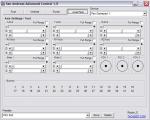
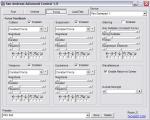
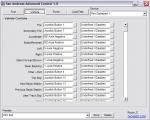
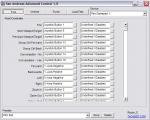
Take note of this: If you are using the 64-bit versions of Vista, 7, and 8, dx7vb.dll and dx8vb.dll has to be put in the SysWOW64 directory, not System32.
Here's how I did it:
copy the dx7vb and dx8vb dlls to C:WindowsSysWOW64,
Run cmd.exe as an admin (you don't have to play with the UAC or restart or anything like that),
type "cd... " without quotes,
then type in "cd SysWOW64", again without quotes,
type in "regsvr32 dx7vb.dll", hit enter,
then type in "regsvr32 dx8vb.dll", hit enter.
and like I said, without quotes. if done right, SAAC should start up. To get this mod to work with windows 7 "FOR SURE", follow these easy instructions...
1. Go to google search for these 2 files "dx8vb.dll" and "dx7vb.dll". Download them anywhere. Move them into your system32 folder(C:WINDOWSSystem32).
2. Go into the User Preferences in the Control Panel and turn off User Account Control. After restart your computer.
3. Go to "start", "all programs", "run", or just type "run" in the search bar. A window should open. Type "CMD" Another window should open after you clicked enter the window should be named, "C:Windowssystem32cmd.exe". Type in "regsvr32 dx8vb.dll" make sure you put the space in between. Push Enter It should say ok or Succsessfull. Then type in "regsvr32 dx7vb.dll" dont forget the space. Push Enter It should say Ok or Successfull Try to open SAAC. Does anyone know where I can get the 1.0 version? This one won't work for me.  Uhm I did everything exactly how you have instructed and I have Windows 7 and it still doesn't even work. I have even taken the time to copy/paste everything which it will not let me register the .dlls of course. NICE!! I love this application. Took me awhile to configure it. The only reason I spent 30 minutes installing .dll and configuring it was for the RUMBLE and it works! Thank You very much  Did the game always come with rumble or is this a hack? if it is it would be awesome if it was a cleo To get this mod to work on your computer follow these easy instructions.
Go to google search for these 2 files "dx8vb.dll" and "dx7vb.dll".
Download them anywhere.
Move them into your system32 folder(C:WINDOWSSystem32).
Reboot your computer go to "start", "all programs", "run", or just type "run" in the search bar.
A window should open on the bottom left hand side of your screen type "CMD"
Another window should open after you clicked enter the window should be named, "C:Windowssystem32cmd.exe".
Type in "regsvr32 dx8vb.dll" make sure you put the space in between.
Push Enter
It should say ok or Succsessfull.
Then type in "regsvr32 dx7vb.dll" dont forget the space.
Push Enter
It should say Ok or Successfull
Try to open SAAC.
If it doesnt open then right click it, go to properties, then compatibility click the box that says "Run this program as administrator" and also check the box that says "run this program in compatibility with:"
The only problem im having is that i want to use a controller and keyboard+joystick but when i play both characters move with one controller so if anyone knows an answer i would be thankfull. D4681 commented over 3 years ago: combatnuts@yahoo.com
plz help ive tried everything to make this thing work will it work for v2.00? With vista or windows 7, you can use xpadder instead of this program. XPadder will let you bind any gamepad button or control to keyboard or mouse shortcuts. With that, you can configure e.g. the xbox 360 controller with the triggers and all other buttons with san andreas, or any other game really. Jamould commented over 3 years ago: Is it alright if you make a version for Vice city View All Comments | Add Comment |