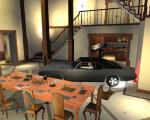
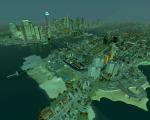
The free movable ObserverCamera allows to see everything, move through buildings, vehicles and into interiors
Steer camera by mousemove, while player is still controllable,
teleport to camera position
Instruction for custom keysetting

1. first install Alice
Update Alice to alice 0.9
get it at: www.gtaforums.com/index.php?showtopic=386816
It contains also asiloader: dsound.dll
alternativ asi loader xliveless: www.gtaforums.com/index.php?showtopic=388658

2.
copy ObserverCAM.lua into GTA IV\Alice folder


press keycombo K and left mouse button to enable or disable Observer Cam

 you can change these keys, endisableCAM1 = K, endisableCAM2 = left mouse button
 read more below about change keysettings

 Movement by activ Observer Cam:

 upward = Num8
 downward = Num2
 forward = Num5

 hold additional fastmove key to move faster with move keys
 fastmove = + (num add) + ;

 press teleport = Backspace to teleport to Camera position
 press keycombo K and left mouse button to enable or disable Observer Cam


 after teleport to Camera position, Player_position is locked

 press backtoground = Enter/Return, to get back to ground
 press keycombo K and left mouse button to enable or disable Observer Cam


 Change KEYSETTINGS
Open ObserverCAM.lua with simple texteditor (notepad.exe)
and read the instruction at scriptbeginn





 (8 votes)