logo
signbit
bit
nav_l nav_r
MapEditor
MapEditor for GTA III, VC and San Andreas
Information Files
Author: tonywob


Website: http://www.gtaforums.com/index.php?showtopic=220293
Works with: GTA San Andreas 
Release/Version: 0.30 Beta
Status: Work In Progress
Started on: 30 Nov 2005
Last Updated: 25 Apr 2006
Views: 238332
Type: Created from scratch
Rating: 4.50649 (77 votes)
Please log in to rate this mod
Description
MapEditor (MEd) for GTA III, San Andreas and Vice City

Version 0.30 Beta

PLEASE READ THE README BEFORE USING THIS FILE

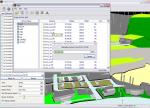
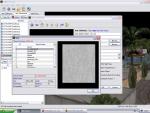
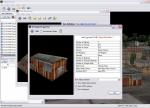
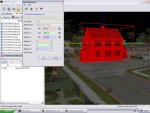
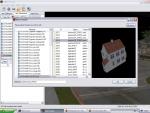
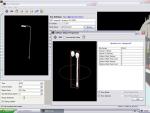
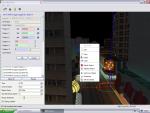
This application enables you to easily move and add standard IPL objects to the GTA map using drag, copy and paste.

Remember to uncheck the Read-Only attribute for your GTA files before editing.

ALWAYS BACKUP YOUR INSTALLATION BEFORE USING THIS SOFTWARE!

Always update to the latest drivers before using this tool, as the default Windows XP drivers will cause you problems.

Excellent tutorial available at
http://www.gtaforums.com/index.php?showtopic=224951

Comments News
JK-47 commented 2 weeks ago:
[color=] I have a problem. Whatever I change in the editing programme, whether it's something small like putting a couch in the road or something big like putting a giant satellite dish on top of Carl’s house., the outcome is always the same. Nothing. When I load up the game and go outside I see no change in the map. Can you help me?
WSD1993 commented 2 weeks ago:
Whenever I try to add a Custom Object to SA using this, it randomly crashes. Any fixes for this?
szabi1 commented 3 weeks ago:
In windows 7: :cool: change theme to windows basic and start the program : on desktop right-click, select personalize and click to windows 7 basic! :rampage::devil: Start mapeditor, select gta location next and click to visible files, select map and done!
oxox14 commented 3 weeks ago:
i am trying to make a shinra company with this :) :r*: :bbq: :rah: :monocle: :breadfish: :lol: :cry:
dani1341 commented a month ago:
hmm it worked on windows xp :) but now im with windows 7 ultimate and i cant run it -.- please help
jirachi99 commented a month ago:
I added a .dff to a map (via IMG tool then this) but when I go to the spot its not there... help please!
deraidos commented a month ago:
 QUOTE (DEcobra11 @ 17:19, 26 May 2010)
That Crash my game! ... :*( :*( :*( :die:
I think that's not CRASH your game.Use Vista, 7, or XP?
deraidos commented a month ago:
[color=]How to run it in Windows 7 Ultimate? pls reply man. :D
deraidos commented a month ago:
[color=]How to run it in Windows 7 Ultimate? pls reply man.
sci4me commented a month ago:
HELP ME! ok, so i've been using med fine 4 ever... but now wen i start it up, the backround dont appear. only the gta select screen and the ipl loading thing. PLEASE HELP!
View All Comments | Add Comment
Version 0,.32 released
25th April 2006 - Version v0.32
* Fixed Deleting IPL File bug
* Added Support for rotating and moving multiple objects using IPL Selection control window
* Reduced step size on IPL Selection Window
* Fixed Maximize/Minimize bug in registry
* Fixed Hiding Of The Toolbar with toolbar context menu
* Fixed Hiding of the Sidebar with the viewing menu
* Changed Behaviour of Select All/Deselect All on visible files list to check which items are manually selected
* Prevented User from pasting/copying and adding items to IPL files not marked as visible, prevents confusing behaviour
* Reduced Sensitivity of Up/Down camera control
* Added topdown view button, allows you to easily find an object, select top down, right-click on area of map and select Centre on object


View All Updates
0 users viewing this mod (0 guests)
bit
brick bit ?E?E bit bit
bit bit   bit bit